
 October 28, 2026
 9 min read
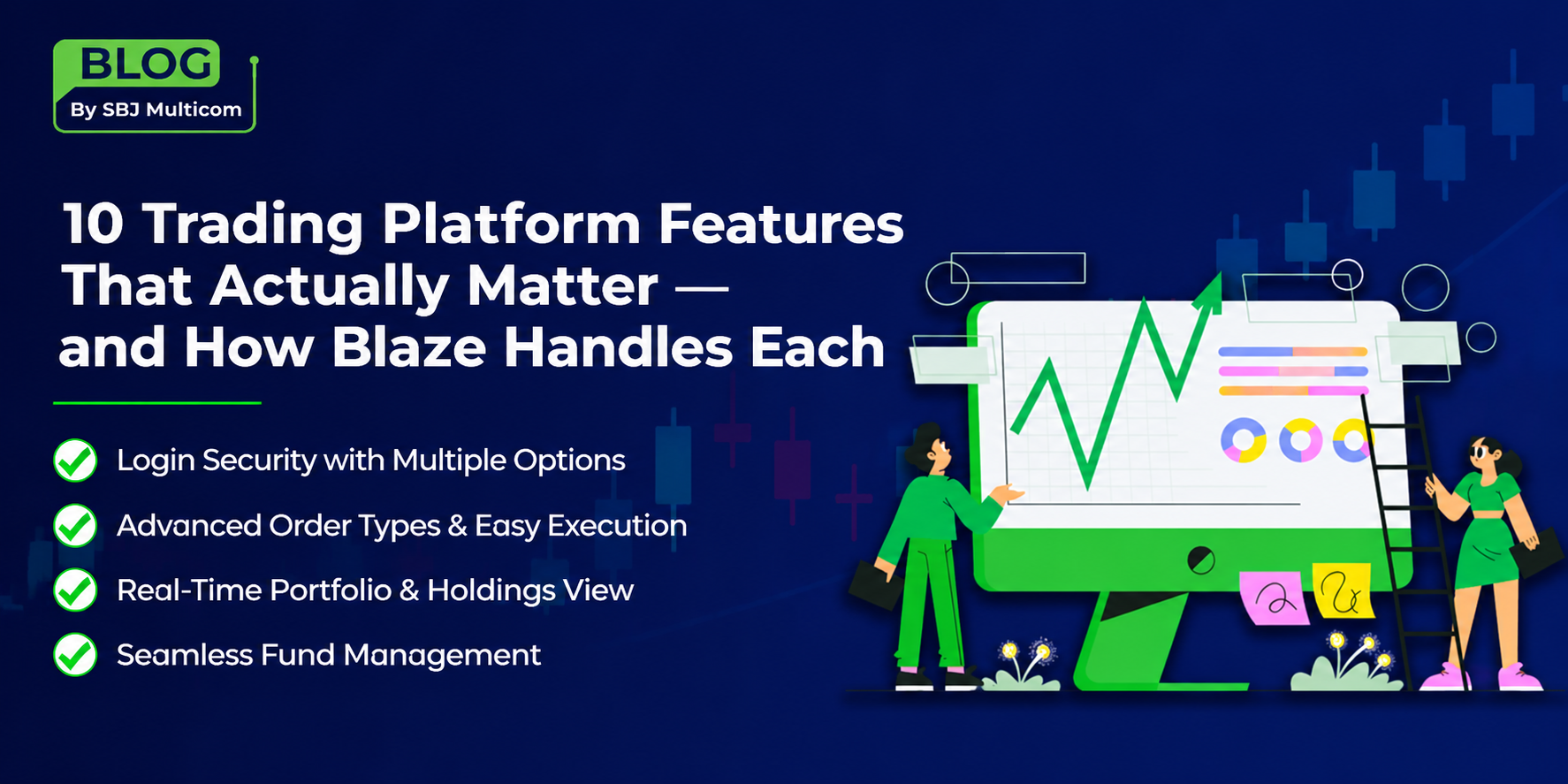
Most platform comparisons list features without explaining why any of them matter. A feature is only worth having if it changes something you do — saves you a step, protects you from a loss, or tells you something you did not know.
Below are ten features worth checking on any trading platform, what each one is actually for, and how Blaze from SBJ Multicom implements them. Use the “what to check” lines to evaluate whichever platforms you are comparing.
1. Login Security with More Than One Method
What it is: How you access your account and how the platform confirms that you are the person authorised to access it.
Why it matters: Your trading account is linked to your bank account and demat holdings. It also needs to open quickly when the market is moving. Security and speed can pull in different directions, so the answer is layered login options rather than relying on a single method.
What to check: Whether two-factor authentication is supported. Whether a faster method — such as MPIN or biometrics — is available for routine access. Whether you can hold more than one account on a device, which matters if you also operate a family member’s account.
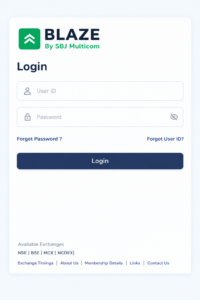
In Blaze: Login by trading ID and password, two-factor authentication via OTP or TOTP, a four-digit MPIN, fingerprint and face recognition on supported devices. Multi-user login lets you keep several accounts on one device and switch between them.
2. A Watchlist That Does More Than List Prices
What it is: The screen you will spend most of your time on — the securities you are tracking, along with their live prices.
Why it matters: If your watchlist only shows a name and a price, every decision requires navigating away and then coming back. Over a trading day, that extra friction adds up.
What to check: Whether you can build multiple watchlists. Whether the platform shows your existing position in a stock directly on the watchlist. Whether you can take action — set an alert, open a chart or place an order — without leaving the screen.
In Blaze: Watchlists show scrip name, last traded price and change from the previous close. You can create several watchlists from templates or from scratch, rename them, set a default and pin favourite indices. Where you already hold a security, the watchlist shows the quantity held along with unrealised profit or loss. Funds are accessible directly from the watchlist.
3. Information Available Without Leaving the Watchlist
What it is: The layer between “seeing a price” and “placing an order.”
Why it matters: The gap between noticing something and acting on it is where mistakes can happen. The fewer screens between the two, the fewer opportunities there are for errors.
What to check: Whether scrip information, charts, alerts and the buy/sell action are all accessible from the watchlist itself.
In Blaze: Swipe across a scrip for Smart View. Event tags flag securities where something is happening. From the scrip information page, you can set a price alert, add the security to another watchlist, open a chart or start a buy or sell order.
4. Order Entry from Wherever You Happen to Be
What it is: How many routes are available from “I want to trade this” to an order ticket.
Why it matters: A platform that forces every order through a single screen adds extra steps at exactly the wrong moment.
What to check: Whether buy and sell options are accessible from the watchlist, portfolio, holdings screen and search results — not just from a single trade tab.
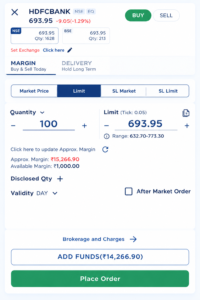
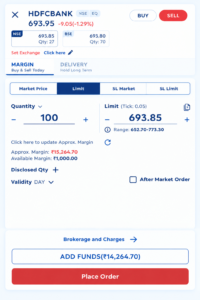
In Blaze: Order entry can be started from the Trade button or from buy and sell options placed throughout the application, supporting intraday, delivery, MTF, PTST, multileg and spread products.
5. The Order Types You Will Grow Into
What it is: The instructions you can give the exchange beyond “buy now at whatever the price is.”
Why it matters: This is one of the most underrated items on the list. A stop-loss order lets you define your maximum loss at the moment you enter a trade, rather than deciding under pressure later. A Good Till Date order means you can set a price once instead of re-entering it every morning. Beginners who cannot access these features often end up managing risk manually, which is where discipline can break down.
What to check: Beyond market and limit orders, look for stop-loss trigger, GTD, bracket orders, trailing stop-loss and Equity SIP. If you intend to use leverage, check the MTF terms — particularly the interest rate and how it is charged.
In Blaze: Market, limit, stop-loss trigger, intraday, delivery and carry forward, PTST, MTF, multileg, spread, GTD, bracket, trailing stop-loss and Equity SIP.
6. Holdings You Can Read at a Glance
What it is: The shares sitting in your demat account and what they are currently worth.
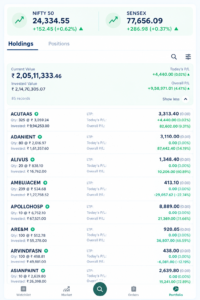
Why it matters: The number that matters is not just what your portfolio is worth today, but how that value compares with what you paid. A holdings screen that shows only the current value makes you do that calculation yourself.
What to check: Whether invested value, current value and unrealised profit or loss appear together.
In Blaze: The Holdings section shows stocks held in the demat account, current value, invested value and unrealised profit or loss.
7. A Portfolio View That Covers Every Segment
What it is: Everything you hold, across every market segment, in one place.
Why it matters: If you trade equity, derivatives and commodities, a platform that reports each separately can leave you without a clear view of your total exposure.
What to check: Whether portfolio value, overall profit and loss, day’s profit and loss, invested value, holdings and open positions across segments appear on one screen.
In Blaze: The Portfolio section consolidates current value, overall P&L, day’s P&L, invested value, holdings and positions across equity, derivatives, commodities and currency.
8. Order Management and the Ability to Fix Mistakes
What it is: Where you can see what you have placed, what has been executed and what is still pending — and where you can make changes.
Why it matters: Orders can sometimes be placed at the wrong price or quantity. What matters is how quickly you can find and correct them.
What to check: Whether the order book, trade book and net positions are available in one section. Whether you can modify, cancel and convert orders. Whether there is a square-off-all option for situations where you need to exit everything quickly.
In Blaze: Order Book, Trade Book, Net Positions and order management are combined in one section, with open, completed and all orders, modification, cancellation, order type conversion, MTM view and square-off-all positions. An Order Cart allows multi-scrip orders to be built, saved, edited and executed together, and a watchlist can be converted into an Order Cart.
9. Messages Separated by What They Are
What it is: Communications from your broker, from the exchange and about your own orders.
Why it matters: A single, undifferentiated notification feed can cause important messages to get lost among routine ones. An exchange message about a settlement holiday is not the same as a fill confirmation.
What to check: Whether broker, order and exchange messages are separated, and whether alerts you have set can be managed in one place.
In Blaze: Broker messages, order messages and exchange messages are held separately, with alerts manageable from within the application.
10. Fund Management Inside the Platform
What it is: Adding money, withdrawing money and knowing how much you can currently deploy.
Why it matters: Purchasing power is not the same as your account balance once margin is in use. A platform that does not make the difference clear can lead to rejected orders.
What to check: Whether purchasing power, available funds and utilised funds are shown distinctly. Whether UPI and net banking are both supported. Whether several bank accounts can be mapped. How withdrawal requests are submitted and how long they take.
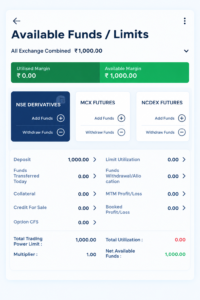
In Blaze: The Funds section shows purchasing power, available and utilised funds and the day’s fund transactions, with pay-in through net banking or UPI, multiple mapped bank accounts and withdrawal requests submitted through an integrated payment gateway.
The Short Version
FEATURE THE QUESTION TO ASK
1. Login security Is 2FA available, and is there a fast method for daily use?
2. Watchlist Can I build several, and see my position in them?
3. Scrip information Can I research and act without leaving the screen?
4. Order entry Can I trade from anywhere in the app?
5. Order types Is stop-loss, GTD and bracket supported?
6. Holdings Do I see invested value alongside current value?
7. Portfolio Are all segments available in one view?
8. Order management Can I modify, cancel and square off quickly?
9. Messages Are broker, order and exchange messages separated?
10. Funds Is purchasing power shown distinctly from the balance?
What is the difference between a stop-loss and a bracket order?
A stop-loss order exits a position if the price moves against you beyond a set level. A bracket order places the entry, target and stop-loss together as one instruction.
What does PTST mean?
Purchase Today, Sell Tomorrow — buying shares one day and selling them the next, before they have settled into your demat account.
Is Margin Trading Facility the same as intraday leverage?
No. MTF allows you to carry a leveraged position beyond the same day, and interest is charged on the funded amount for as long as the position is held.
What is a GTD order used for?
Good Till Date allows you to leave an order active until a chosen date rather than having to re-enter it every morning.
Can I place orders for several stocks at once?
In Blaze, the Order Cart lets you build a multi-scrip order and execute it from a single window.
Ready to Try It?
Open an account with SBJ Multicom and use Blaze yourself.
[Open an Account] · [Explore Blaze] · [View Brokerage & Charges]